Power Point Installation Capalaba & Brisbane Bayside
Running out of outlets? Relying on power boards and double adaptors? Aaron from Amplus provides expert power point installation across Capalaba and Brisbane’s Bayside — extra outlets, USB power points, outdoor GPOs, and dedicated circuits. Licensed, clean installations with upfront pricing — no hidden costs.
Why Do You Need More Power Points?
Most homes in Capalaba and across Brisbane’s Bayside were built with far fewer power outlets than modern life demands. A house built in the 1980s might have 2–3 outlets per room — and if the wiring hasn’t been updated, a full rewire may be worth considering alongside extra power points — but today’s families are running TVs, gaming consoles, phone chargers, laptops, kitchen appliances, smart home devices, and more. The result? Extension leads running across floors, double adaptors stacked on double adaptors, and power boards plugged into power boards. This isn’t just messy — it’s genuinely dangerous. Overloaded power points are one of the leading causes of electrical fires in Australian homes — a properly installed safety switch will cut the power instantly, but prevention starts with having enough outlets. Installing additional power points where you actually need them is one of the simplest, most cost-effective electrical upgrades you can make. It eliminates fire risk, reduces clutter, and makes your home work the way modern life requires.Power Point Services We Provide
Extra Power Point Installation
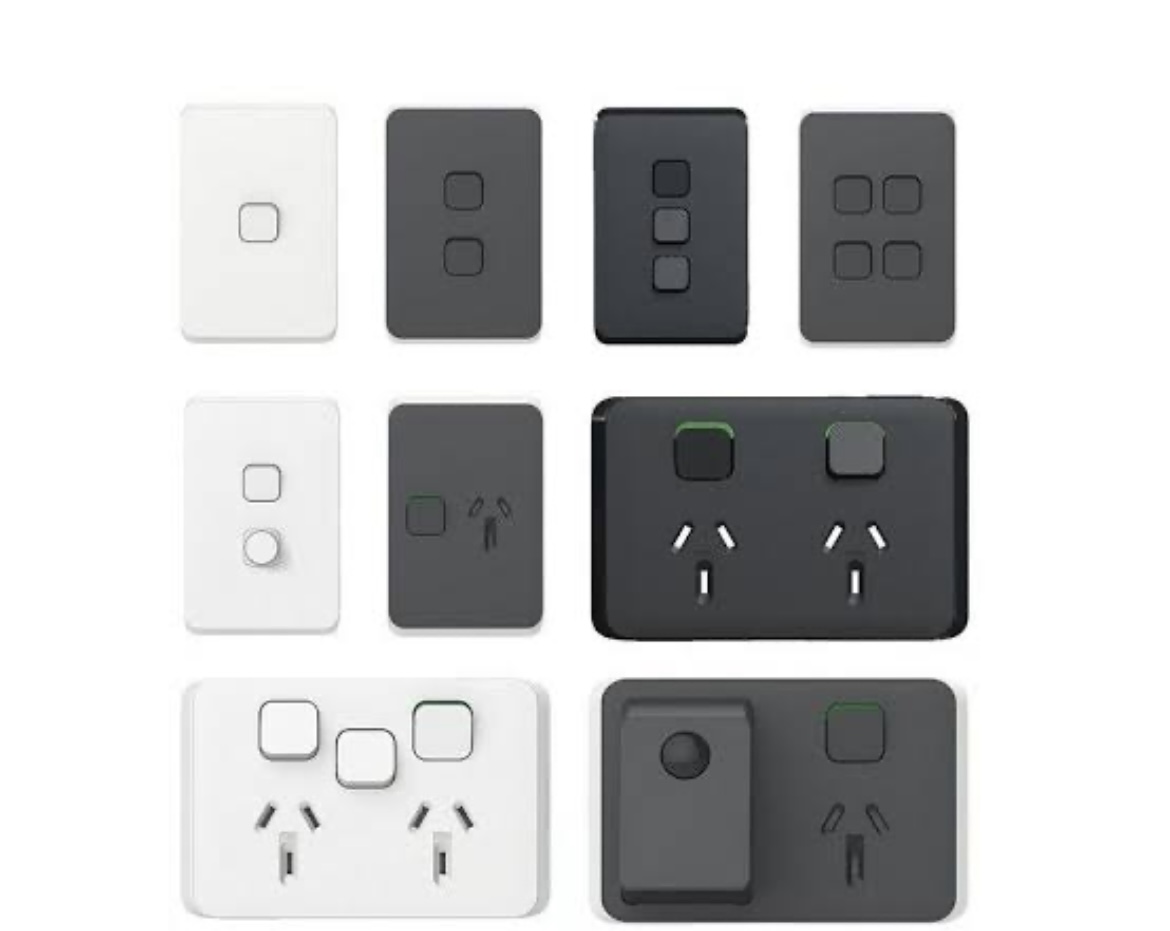
The most common job we do. Aaron installs extra double GPOs in bedrooms, living rooms, kitchens, home offices, garages, and anywhere you’re short on outlets. Each new power point is wired back to your switchboard with the correct gauge cabling and connected to a circuit protected by a safety switch (RCD).USB Power Point Installation
Modern power points with built-in USB-A and USB-C charging ports. Perfect for bedside tables, kitchen benchtops, and home offices — they eliminate bulky charger blocks and free up outlet space. USB-C ports support fast charging for phones, tablets, and even laptops. We supply and install premium brands that deliver reliable charging speeds.Outdoor Weatherproof Power Points
Need power for your patio, deck, BBQ area, garden tools, pool equipment, or outdoor lighting? Aaron installs IP-rated weatherproof GPOs designed for Queensland’s climate — rain, humidity, and heat. All outdoor outlets include dedicated RCD protection as required by Australian Standards.Double Power Point Upgrades
Old, cracked, discoloured, or loose power points aren’t just ugly — they’re a safety hazard. Damaged outlets can arc, overheat, and cause fires. Aaron replaces worn power points with modern, compliant fittings. If your outlets are yellowed, wobbly, or have scorch marks, they need replacing.Power Point Relocation
Renovating, rearranging furniture, or mounting a TV on a different wall? Aaron relocates existing power points to exactly where you need them — no more extension cords running behind furniture. Includes proper decommissioning of the old location and clean termination. Planning a bigger project? See our renovation electrical preparation guide.Dedicated Circuits
High-draw appliances like ovens, air conditioners, hot water systems, workshop tools, and EV chargers need their own dedicated circuit run directly from the switchboard. This prevents overloading shared circuits and ensures reliable power for the appliance. Aaron installs dedicated circuits with correctly rated cabling and circuit breakers.Data Points & Network Cabling
Wi-Fi not cutting it? Hardwired Ethernet (Cat6/Cat6A) data points provide faster, more reliable internet for home offices, media rooms, and gaming setups. Aaron installs data points alongside power outlets for a clean, integrated setup.Smart Power Points
Control your outlets from your phone. Smart power points with Wi-Fi or Zigbee connectivity let you schedule appliances, monitor energy usage, and turn outlets on/off remotely. Ideal for lamps, heaters, and appliances you want automated.How Much Do Power Points Cost to Install?
Every home is different, but here are typical prices for power point installation in Capalaba and Brisbane’s Bayside. All prices include supply, labour, and testing:| Service | Typical Cost | Time |
|---|---|---|
| Single power point (new) | $150 – $280 | 30–60 min |
| Double power point (new) | $170 – $320 | 30–60 min |
| USB power point (USB-A + USB-C) | $200 – $380 | 30–60 min |
| Outdoor weatherproof GPO | $250 – $450 | 1–2 hrs |
| Power point replacement (like-for-like) | $120 – $200 | 20–30 min |
| Power point relocation | $200 – $400 | 1–2 hrs |
| Dedicated circuit (oven, AC, EV charger) | $350 – $650 | 1–3 hrs |
| Data point (Cat6 Ethernet) | $180 – $350 | 30–60 min |
| Multiple power points (3-5 in same area) | $400 – $900 | 2–3 hrs |
| Whole-home power point upgrade (10+ outlets) | $1,200 – $2,800 | Half day+ |
Need Extra Power Points?
Stop relying on power boards and extension leads. Aaron installs power points exactly where you need them — clean, safe, and to Australian Standards.
When Do You Need Power Points Installed?
Here are the most common scenarios where homeowners call us for power point work.🏠 Home Office Setup
Working from home permanently? You need dedicated power points for your computer, monitors, printer, and router — plus a data point for reliable internet. Running everything off a power board under your desk is a fire risk and causes annoying circuit trips. A proper home office setup typically needs 4-6 outlets and at least one dedicated circuit.
🍳 Kitchen Renovation
Kitchens need more outlets than any other room — coffee machine, toaster, kettle, mixer, air fryer, plus charging phones and tablets on the benchtop. Australian Standards recommend a minimum of 6 power points in kitchens. If you’re renovating, Aaron works with your builder to position outlets exactly where your new layout needs them.
📺 Entertainment Area
TV, soundbar, gaming consoles, streaming devices, set-top box — and they’re all plugged into one double outlet behind the TV unit. Aaron installs a quad GPO (4-outlet plate) behind your entertainment unit, plus a data point for hardwired streaming. Clean, hidden, and safe.
🔌 Overloaded Bedrooms
Older bedrooms often have just one or two outlets — nowhere near enough for lamps, phone chargers, electric blankets, fans, and bedside devices. USB power points on each side of the bed and an extra double GPO on the opposite wall solve this permanently. No more tangled extension leads.
🌿 Outdoor Entertaining
Power for your BBQ area, outdoor lighting, speakers, pizza oven, or Christmas lights. Weatherproof outdoor GPOs are designed for Queensland’s rain and humidity. All outdoor outlets include dedicated RCD protection — required by Australian Standards for safety.
🔧 Garage & Workshop
Power tools, compressors, welders, and bench grinders need properly rated outlets — not extension leads run from the house. Aaron installs 15A and 20A power points for workshop equipment, plus standard GPOs for lighting and charging. If you’re running heavy tools, a dedicated circuit from the switchboard prevents tripping issues.
Signs Your Power Points Need Attention
Not sure if your power points need replacing or upgrading? Watch for these warning signs:
- ⚠️ Scorch marks or discolouration around outlets — signs of arcing or overheating
- ⚠️ Loose or wobbly outlets — poor connections cause arcing and heat buildup
- ⚠️ Cracked or broken faceplates — exposed wiring is an electrocution risk
- ⚠️ Sparking when plugging in — could indicate loose wiring or a failing outlet
- ⚠️ Warm or hot to the touch — overloading or poor connections generating heat
- ⚠️ Using double adaptors or stacked power boards — overloading circuits, major fire risk
- ⚠️ Circuits tripping frequently — too many appliances on one circuit. You may need a switchboard upgrade or additional circuits
If you notice any of these signs, don’t ignore them. Call Aaron on 0419 014 146 for a safety assessment. If it’s urgent, our emergency electrician service is available for immediate response.
Why Choose Aaron for Power Point Installation?
Licensed & Insured
Queensland Electrical Licence #1500996. All work complies with AS/NZS 3000 wiring rules and is covered by full public liability insurance — across all electrical services. You get a Certificate of Compliance for every job.
Upfront, Fixed Pricing
Aaron quotes the full price before starting — parts, labour, and testing included. No surprises on the invoice. If the job changes scope, he discusses it with you first.
Clean, Tidy Installations
Cables run neatly through walls and ceiling spaces — not surface-mounted unless necessary. Aaron takes pride in installations that look as good as they function. Your home is left clean when the job is done.
Local Capalaba Electrician
Based right here in Capalaba (QLD 4157) — not a franchise dispatching from the other side of Brisbane. Aaron is on-site quickly and knows Redlands homes inside out.
Quality Components
We use trusted Australian brands — Clipsal, HPM, and Schneider. No cheap imports that fail in Queensland’s heat and humidity. Every power point we install is rated for the Australian market.
One Electrician, Start to Finish
Aaron does the quote, the installation, and the testing himself. You’re not handed off to an apprentice or a subcontractor. One person, fully accountable for the quality of the work.
3 Simple Steps
Call or Book
Call Aaron on 0419 014 146 or book online. Tell us where you need power points and we’ll schedule a time that suits you.
Upfront Quote
Aaron assesses the job on-site, checks your switchboard capacity, and gives you a clear, fixed price before any work begins.
Install & Test
Power points installed cleanly and to Australian Standards. Every outlet is tested, your switchboard is labelled, and the area is left tidy. Done.
Frequently Asked Questions
Common questions about power point installation in Capalaba and Brisbane.How much does it cost to install a power point in Brisbane?
A standard single power point typically costs $150–$280 installed. Double GPOs are $170–$320. USB power points with built-in charging are $200–$380. Outdoor weatherproof outlets range from $250–$450. Prices include supply, labour, and testing. Aaron provides an upfront quote before starting.Can I install a power point myself in Queensland?
No. Under Queensland’s Electrical Safety Act 2002, all electrical wiring work — including power point installation, replacement, and relocation — must be done by a licensed electrician. DIY electrical work is illegal, voids your insurance, and creates serious fire and electrocution risks.How many power points does a modern home need?
AS/NZS 3000 recommends at least one double GPO on each wall of every room. Modern homes typically benefit from 2-3 double outlets per bedroom, 6-8 in the kitchen, 3+ in the laundry, and dedicated outlets for home offices, entertainment units, and outdoor areas. A licensed electrician can assess your specific needs.How long does it take to install a power point?
A single power point takes 30-60 minutes. Adding 2-3 outlets in the same area takes 1-2 hours. A whole-home upgrade with 10+ new power points may take half a day. Complex installations through brick walls or long cable runs take longer.What’s the difference between a single and double power point?
A single GPO has one outlet; a double has two side by side. Doubles cost only $20-$40 more to install and provide much more flexibility. We always recommend doubles — the small extra cost is worth it for the convenience.Do I need a dedicated circuit for my home office?
Not always, but it’s recommended if you’re running high-draw equipment like laser printers or multiple monitors. A dedicated circuit prevents office equipment from tripping breakers when other household appliances run on the same circuit. It also provides cleaner, more stable power for sensitive electronics.Can you add power points to a brick wall?
Yes. Power points can be installed in brick, rendered, timber, and plasterboard walls. Brick walls require more labour (chasing a channel for the cable and mounting box), which adds to the cost. Surface-mounted conduit is an alternative where chasing isn’t practical.Are USB power points worth it?
Absolutely — especially for bedsides, kitchen benchtops, and desks. They eliminate bulky charger blocks, free up outlet space, and USB-C models support fast charging. At $200–$380 installed, they’re a practical upgrade for any high-use charging location.Power Point Installation Across Brisbane’s Bayside
Based in Capalaba (QLD 4157), Aaron services the entire Redlands and Brisbane Bayside. Most suburbs are within 10-15 minutes.
Ready to Get Power Points Installed?
Call Aaron for an upfront quote on power point installation, USB outlets, outdoor GPOs, and dedicated circuits. Capalaba and all Bayside suburbs.